
HomeWhat is it?
What it is
One system for the whole business.
PhoenixNet brings estimating, project delivery, personnel, equipment, materials, quality, finance, communication and client access into one system. Staff run the work in one place, and clients see the progress and records you choose to share.

- Built by
- PRCD Pty Ltd
- Built for
- Field-based businesses that need to show their work was done properly
- Set up as
- Your own workspace, database and documents
Where it came from
Built inside a working contractor.
PhoenixNet was developed inside PRCD Pty Ltd, a Queensland contracting business, to run its own field, workshop, commercial and project work.
It replaced disconnected systems and spreadsheets with linked records, from the first enquiry through delivery, invoicing and handover. Because it's built and extended in-house, new features come from real jobs: detailed estimating, programme planning, Outlook-linked correspondence, purchasing and finance controls, client inspection points and engineering calculators were all added because a job needed them.
It's now available to other businesses. Each organisation gets its own secure workspace at its own address, with its own database, document storage and integrations, kept completely separate from every other organisation.
Who it's for
One system, many kinds of field-based work.
The pattern is the same in every industry: plan the work, send people and equipment to do it, and be able to show afterwards that it was done properly.
-
Pipelines and utilities
Long projects where the records have to last as long as the asset: welds and joints recorded against the material used, pressure and test records, as-built evidence and registered documentation.
-
Construction and residential
From quote to handover: estimates and programmes, purchasing and deliveries, trades and inspections, variations and claims, and a complete documentation pack at the end.
-
Maintenance and site services
Recurring and reactive work across client sites: crews, pre-starts, plant, materials, time and evidence captured in the field, with progress visible to the client where you want it.
-
Civil construction and earthworks
Production-based estimating, resource planning, daily records, quality checks and handover, with volume and excavation calculators built in.
-
Drone and aerial services
Survey, inspection and aerial data work: missions planned and recorded as jobs, pilots and certifications tracked like any other qualification, equipment calibrated and compliant, and deliverables filed against the client and the job.
-
Fabrication and industrial services
Workshop orders, materials and lot traceability, welding records and qualifications, inspection plans and registered documentation for work that requires it.
If your business plans work, sends people and equipment to do it, and has to show afterwards that it was done properly, PhoenixNet was built for you.
From enquiry to handover
Every stage of a job, in one place.
Jobs, clients, people, materials and records stay linked as work moves through the business, so there's less re-entry and it's easier to see where things stand.
-
01
Find and price the work
Leads, opportunities, estimates, production rates, supplier inputs, programmes, scenarios, quotes and online client acceptance.
-
02
Plan and mobilise
Jobs, sites, crews, resource demand, project obligations, insurance requirements, inductions and compliant equipment.
-
03
Procure and prepare
Supplier pricing, purchase approvals, goods receipts, stock, transfers, workshop orders and job allocations.
-
04
Deliver and verify
Daily updates, pre-starts, time, travel, inspections, checklists, non-conformances, incidents and testing.
-
05
Communicate and share
Built-in chat, Outlook-linked correspondence, discussions on records, client progress, documents and inspection points.
-
06
Reconcile and hand over
Variations, claims, invoices, accounting-linked finance, QA packs, registered documentation and a full audit history.
What's inside
Eight areas, one set of records.
The eight areas below are parts of one system rather than separate products. They all work from the same records, so the paperwork at the end of a job comes together as the job goes.
-
Estimating and sales
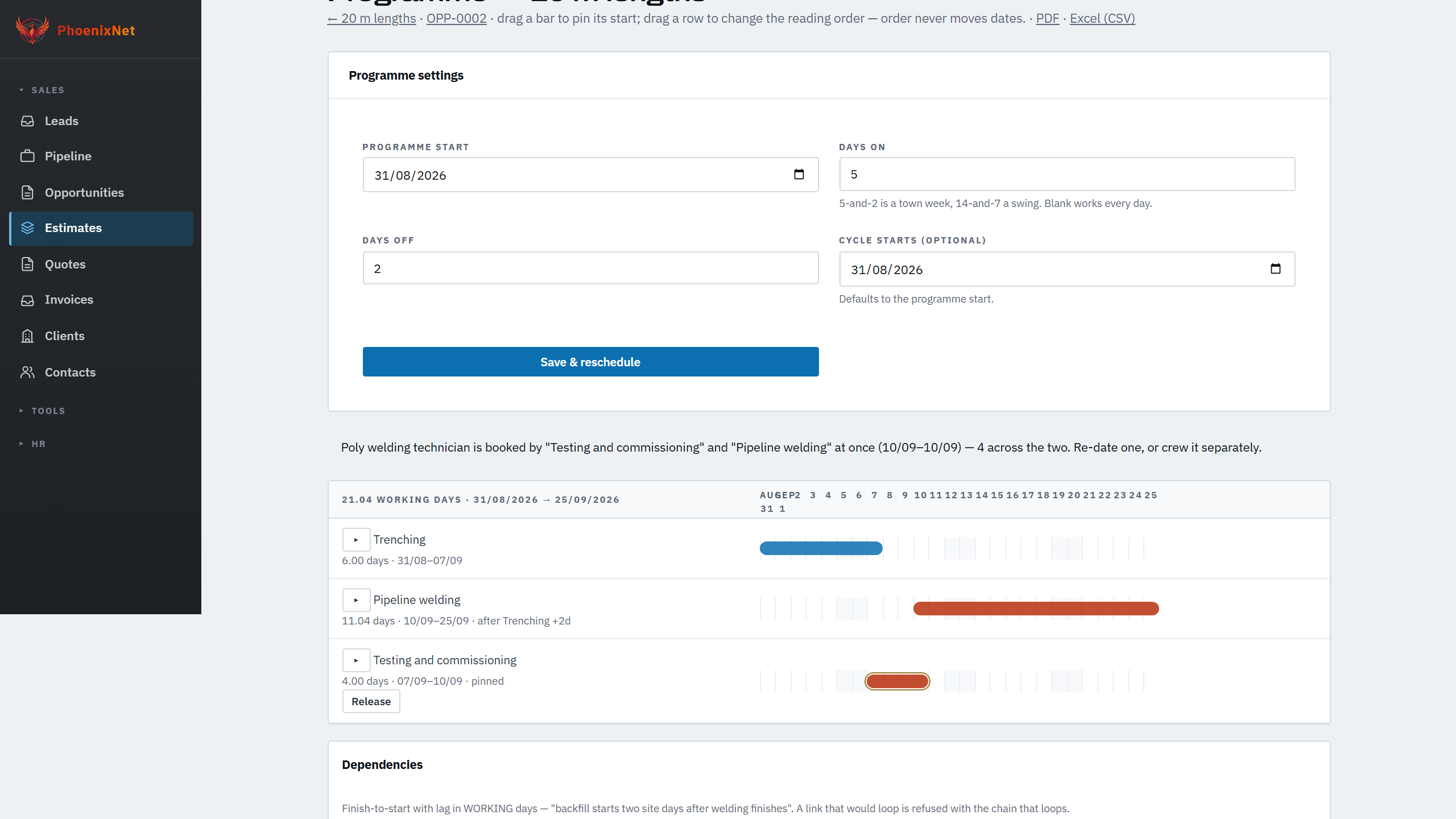
Production-based estimates, crew and plant build-ups, pricing scenarios, programmes, quote revisions and online acceptance.
-
Project and field delivery
Jobs, sites, crews, daily updates, pre-starts, time, travel, expenses and job-linked correspondence.
-
Quality and compliance records
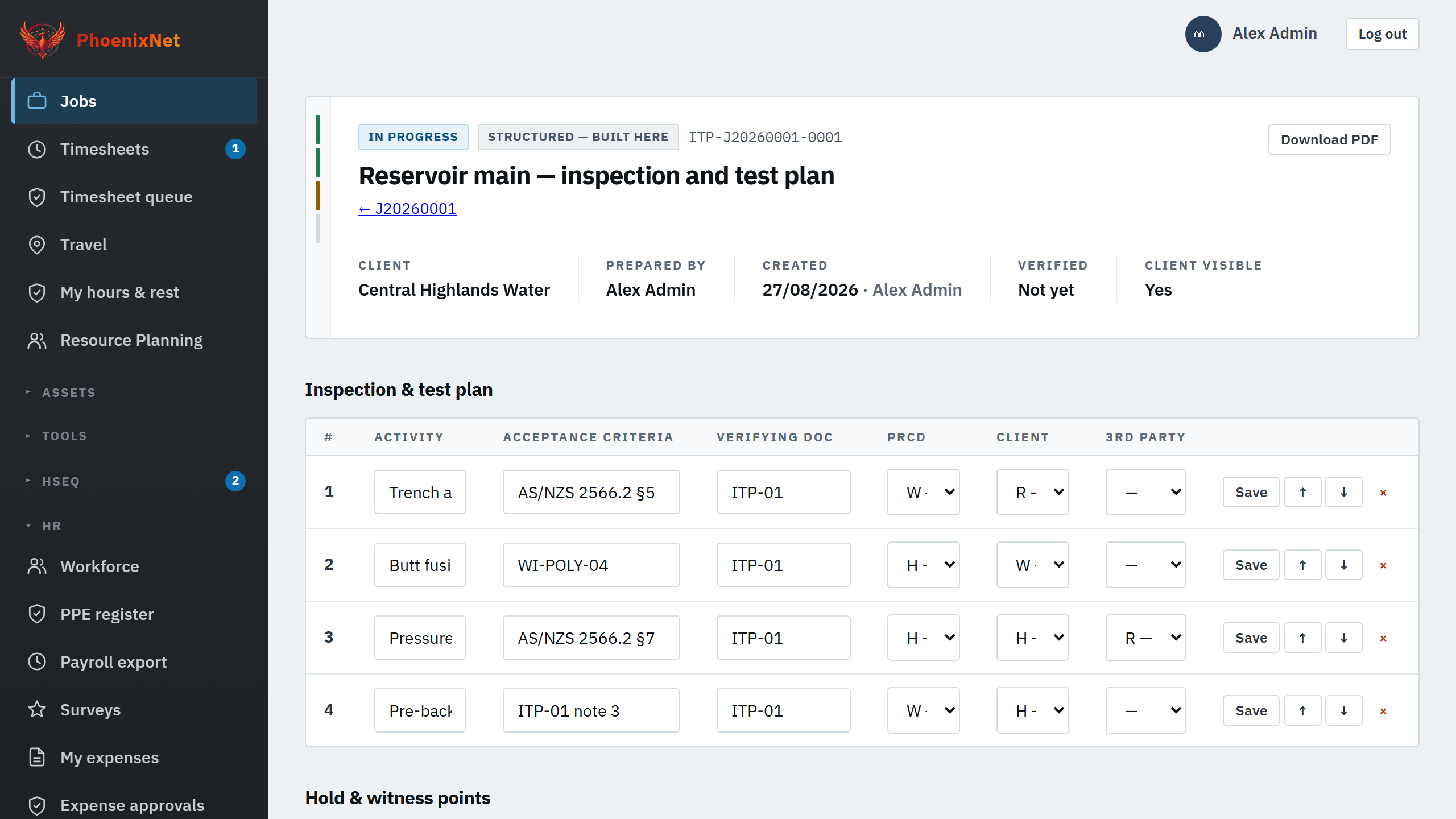
Inspection and test plans with hold and witness points, checklists, non-conformances, incidents, photos, and specialist records such as full welding traceability where the work requires them.
-
Materials and purchasing
Supplier pricing, approvals, receipts, stock lots and certificates, movements, work orders and job issues.
-
People and capability
Recruitment, onboarding, qualifications, medicals, inductions, verifications of competency, training, PPE, leave, fatigue and payroll exports.
-
Plant and equipment
Asset records, checkouts, pre-starts, service schedules, calibration, compliance certificates and insurance.
-
Commercial and communication
Variations, claims, invoices, accounting-linked finance, purchase order controls, built-in chat and correspondence filed against the right record.
-
Client access and handover
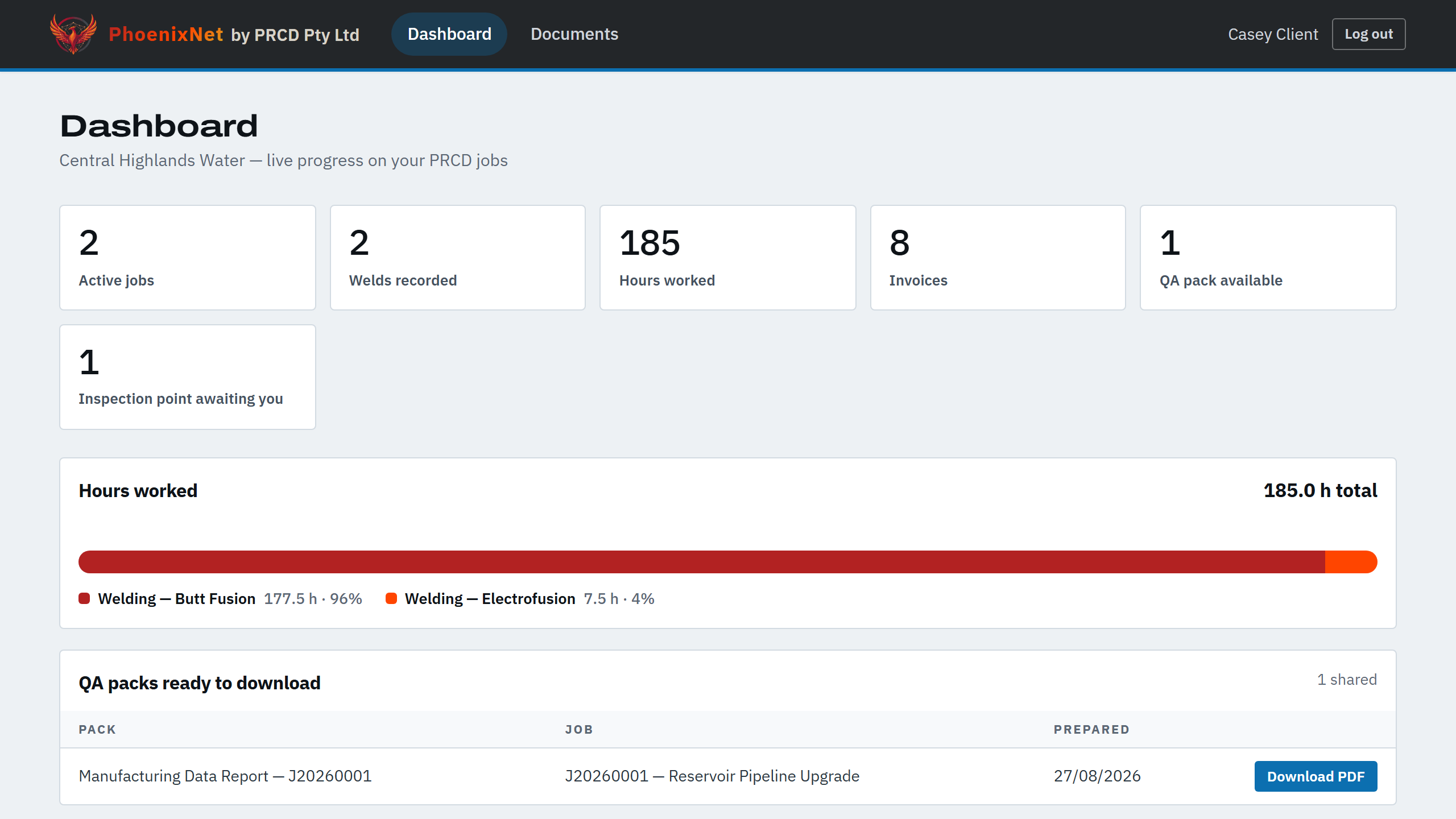
Client logins, shared jobs and documents, inspection points, QA packs and registered documentation.
The system in practice
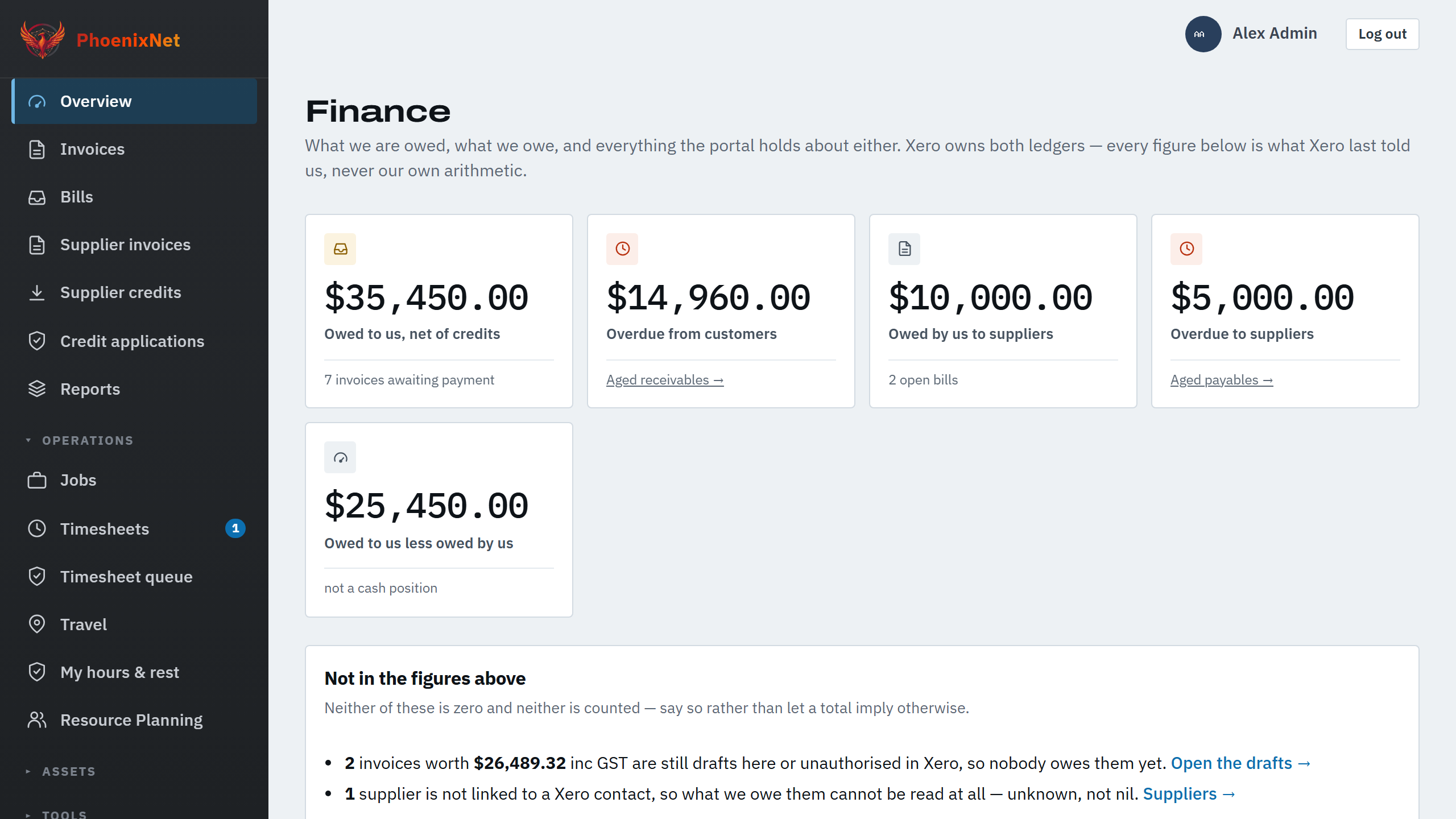
Six screens from the system.
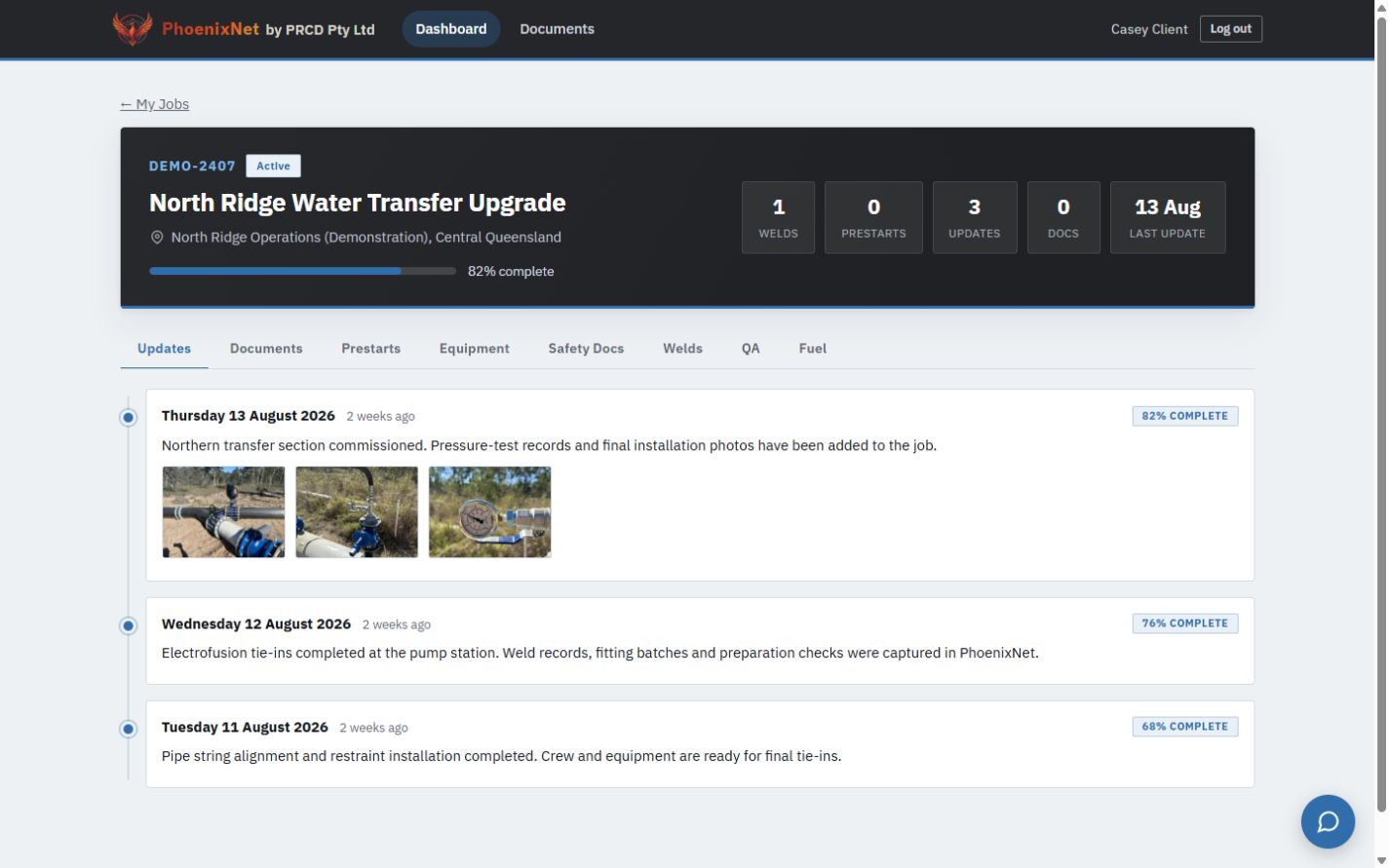
These are current screens from a working installation, filled with demonstration data rather than real jobs.
Project delivery
Quality assurance
Client visibility
Estimating and planning
Commercial and finance
Specialist traceability
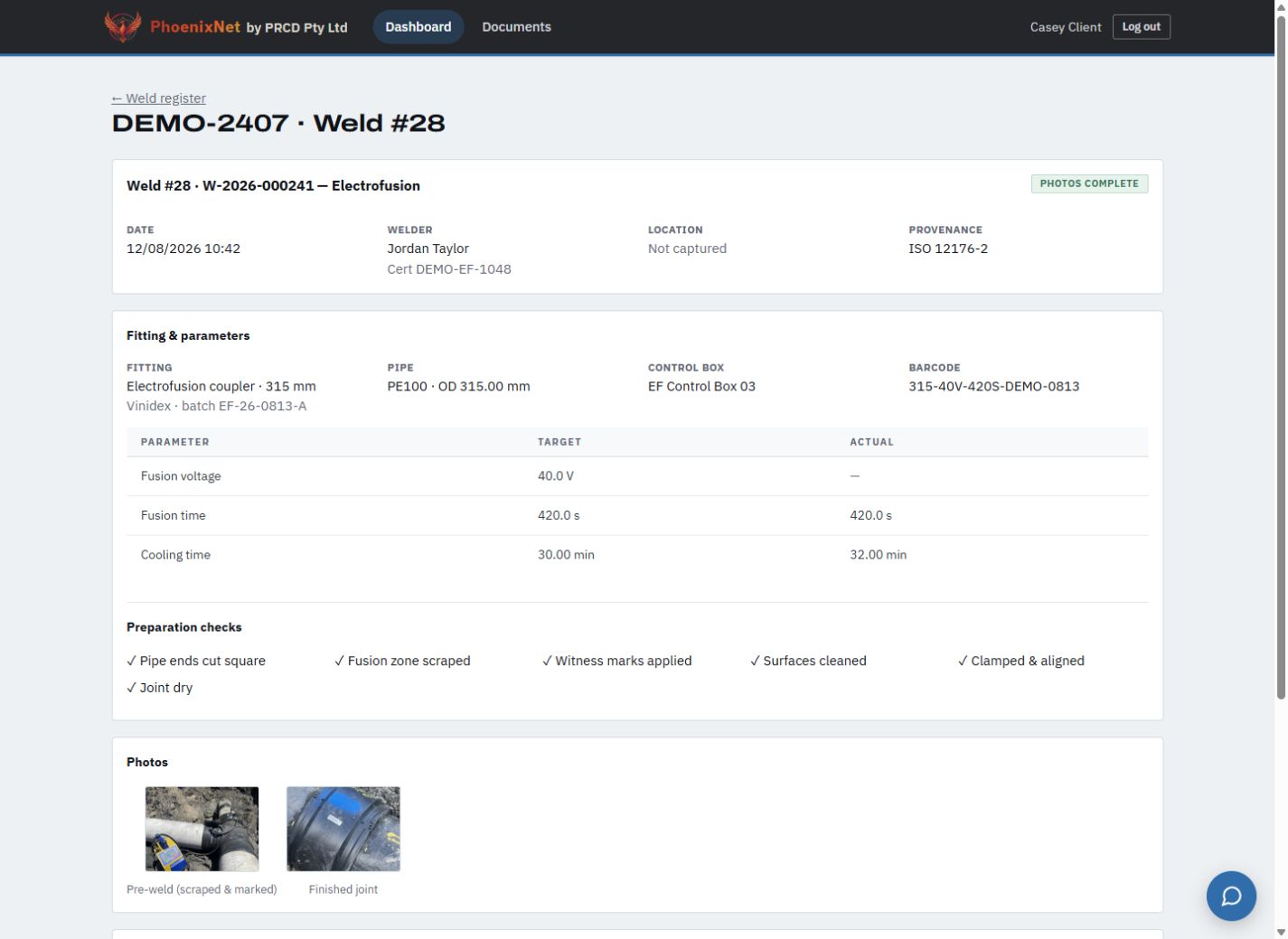
Every name, company, job number, figure and date in these captures is fictional demonstration data. No customer information appears on this page.
Records that last
The records still make sense years later.
Records stay linked to the work that produced them: material received, issued to the job, work recorded, quality checked and the handover pack put together.
The links are made as each record is created, so the handover pack is mostly assembled by the time the job finishes. Years later you can still see who did the work, which materials they used, who checked it and when it was shared with the client.
For the people using it
Your staff and your clients.
Staff and clients see the same work, each with the access that suits them.
For your staff
- One place to see where each job, client, worker and compliance item stands.
- Forms that work on a phone on site as well as at a desk.
- Dashboards and task lists that show what's missing, expiring, overdue or waiting for approval.
- Role-based access and a full change history, so you can always see who changed what.
For your clients
- Their own jobs, progress and shared documents, and nothing else.
- Organised records for assurance, and a faster handover because the pack is put together as the work happens.
- Hold and witness points they can take part in.
- Complete separation from every other organisation's information.
Your own workspace
Your data is never mixed with anyone else's.
Each organisation runs in its own workspace at its own address: yourcompany.phoenixnet.au.
It has its own database, file storage, branding, users and backups, and its own Microsoft 365 and accounting connections, entered by you and used by nobody else. The separation is built into how the system is set up, so there's no shared table where one organisation's records could be read by another.
We set up each workspace ourselves, so a new business starts with its connections, people and first modules already in place.